
- Client
- WeatherSA, with Microsoft
- Sector
- Weather services · Windows 8 launch app
- Origin's role
- UX & UI design, wireframing, interaction design for a native Windows 8 application
- Flow mapping
- Wireframing
- Metro interaction design
- Panorama hub design
- Iconography
- Prototyping
The challenge
Microsoft was preparing the South African launch of Windows 8, built around the new Metro design language: full-bleed photography, panoramic hubs and typography carrying the interface rather than chrome and icons. A slate of flagship apps was being built to prove what the platform could do with real, local content, and WeatherSA, the South African Weather Service, needed a native app for the launch.
Microsoft engaged Origin to design and build that app in partnership with WeatherSA. The brief was to bring South Africa's national weather service onto Windows 8 in an app that felt authentically Metro. The harder ambition, understood but not written down, was that it also had to feel authentically South African, not a template with a new logo and a local town list dropped in.
Our approach & thinking
A weather app is naturally a data-dense grid: temperatures, wind, humidity, a week of forecasts. Metro's whole design language runs the other way, built on hero photography and open space. Treating the brief as fitting the data into Metro would have produced exactly the generic, imported-looking result Microsoft was trying to avoid at launch. The real task was to make South African place, not just South African data, the material the interface was built from.
The shift came from asking what would make a South African open the app and feel it was theirs. The answer was not a flag icon or a colour scheme. It was the landscape: an elephant in the grass, a bridge at sunset, a baobab against the veld. Once the background photography was treated as the interface itself, rather than decoration behind it, the weather data stopped fighting Metro's open, photographic style and started living inside it.
Origin flow-mapped the app end to end for Microsoft's review, setup through to the settings a returning user would need, before any screen was drawn. Wireframes then worked out the app's whole structure as one continuous horizontal panorama, the pattern Metro calls a hub, with the overview, forecast, activities, storms and maps sections laid out side by side so each one visibly continued into the next rather than sitting behind a menu.
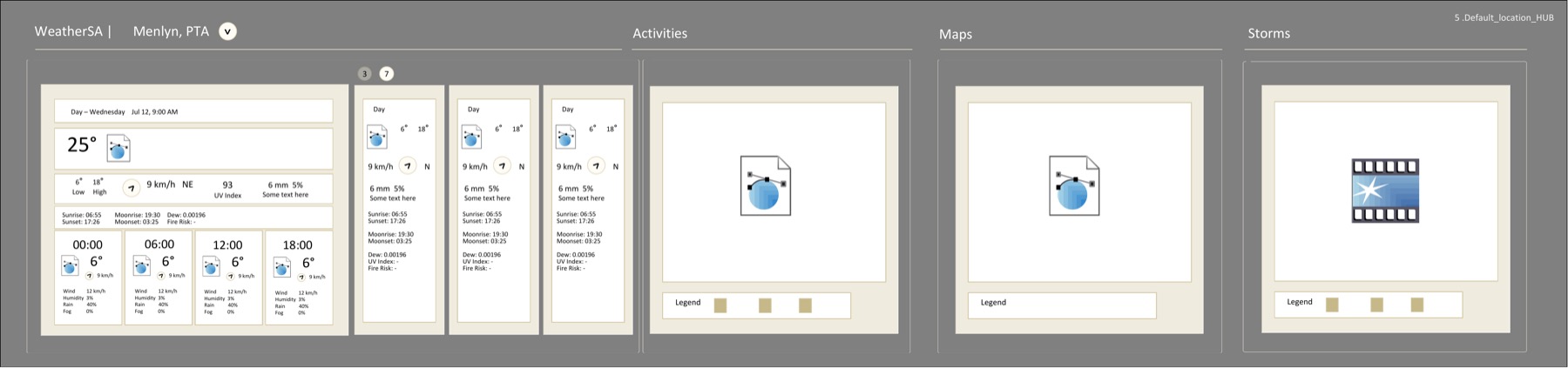
One continuous panorama, not a menu of screens: overview, forecast, activities, storms and maps sit on a single horizontal surface, each one visibly peeking the next.
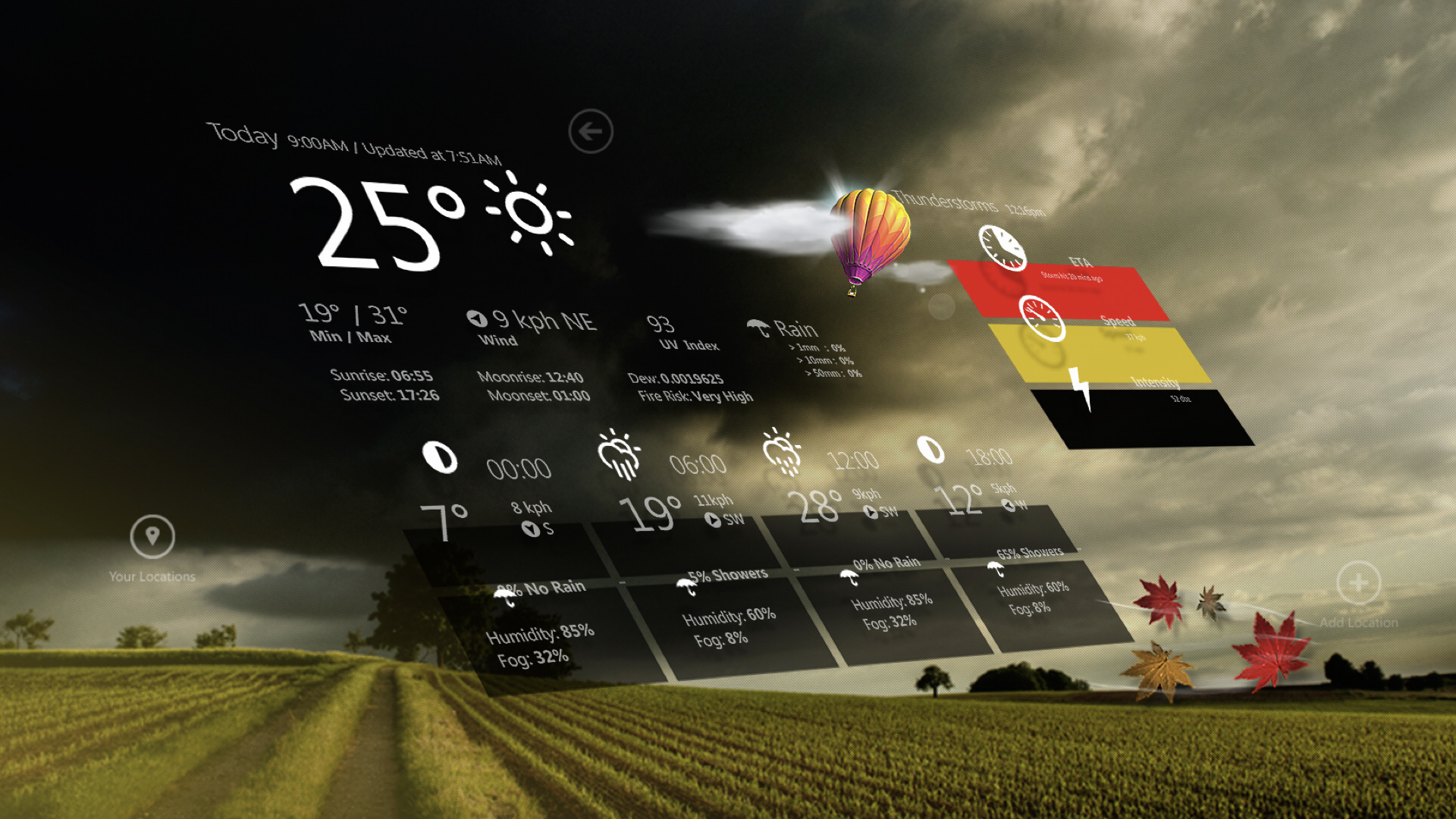
South African landscape photography as the interface: the background changes with the screen, an elephant on the locations screen, a baobab, a bridge at sunset, a lone tree at dusk, standing in for Metro's usual gradient or stock image.
Location added in one motion: search, GPS and manual entry sit as three equal, simple choices on the same screen, with South African town names type-ahead searchable from the first letters typed.
Activities built around what South Africans actually do: a weekly grid rating beach, braai, paddling, cycling, golf, jogging and sailing green, amber or red, not steps or generic fitness categories.
What we shipped
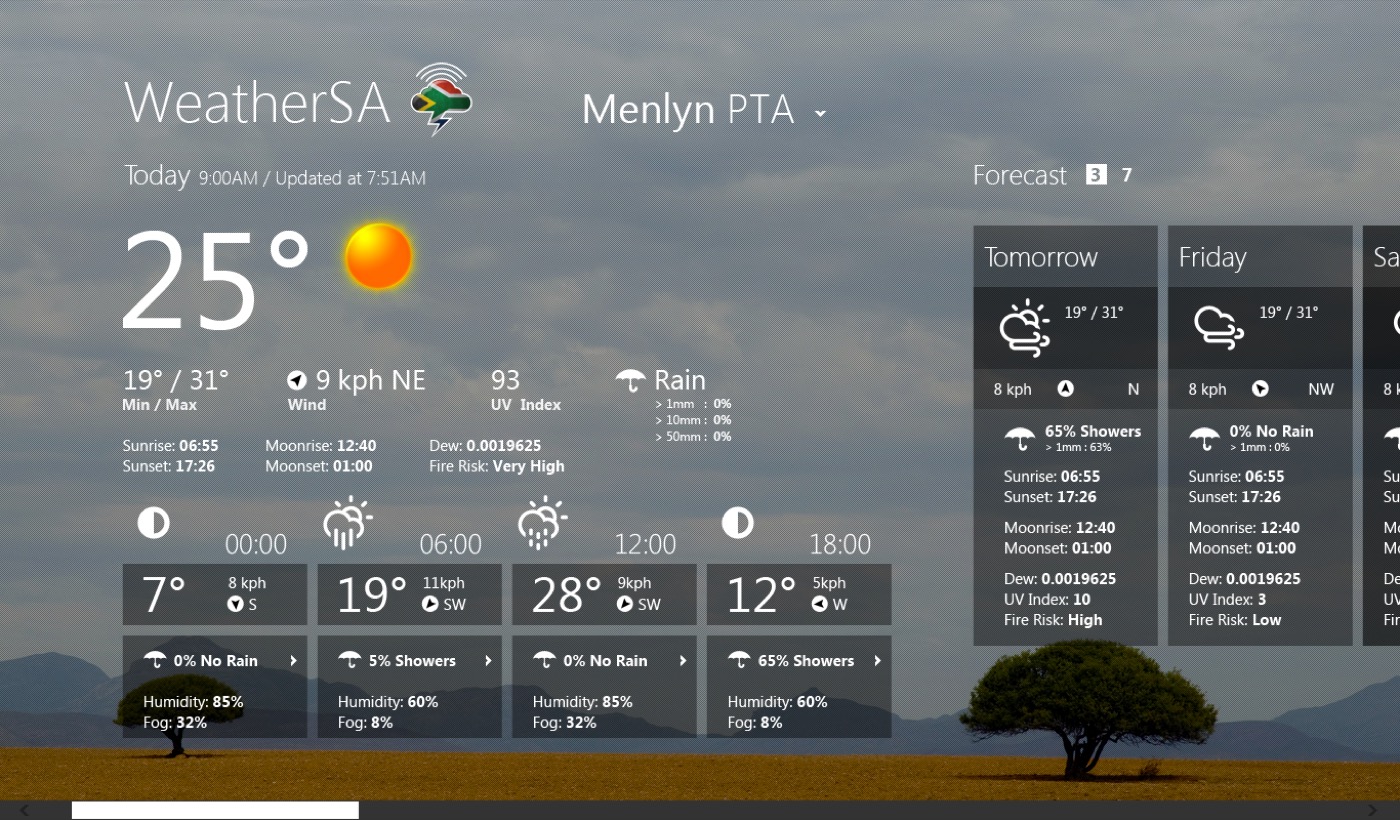
A native Windows 8 app: a splash screen introducing WeatherSA in the Metro type style, a locations screen for adding and choosing towns by search, GPS or map, an overview hub leading with today's temperature, wind, UV index and a live thunderstorm alert panel, a three or seven day forecast, the activities suitability grid, and storms and maps sections with province level filtering and satellite imagery. Every screen carries its own full-bleed South African landscape photograph, so panning through the app reads as moving through the country as much as through the data.
The backdrop
The same overview screen was built against a rotating set of South African landscape photographs rather than one fixed background, so the app never looked like a single skinned template. Elephant grassland, a bridge over water at sunset, an aloe against the veld, a lone tree at dusk: the weather changed, and so did the country behind it.
Outcome & value
The app shipped as part of Microsoft's Windows 8 launch app catalogue in South Africa, putting the national weather service on the new platform with an interface built specifically for it rather than ported from an existing product.
For the people using it, the app made a daily, practical decision, what to wear, whether to braai, whether the storm was coming, feel considered rather than generic, because the screen in front of them looked and felt like home. For Microsoft, a launch app that was visibly, specifically South African did more to prove Metro's relevance in that market than a technically correct app skinned in the platform's default look ever could. Had the project stopped at fitting WeatherSA's data into Metro's grid and typography without rethinking what the imagery was for, the app would have worked and looked like every other regional weather app reskinned for a new OS, giving Microsoft one more functioning app rather than a reason for South Africans to believe the new platform had been built with them in mind.
In summary
Next steps
Launching something that needs to feel like it belongs here?
Let's talk about it.
Tell us what you're working on, what you're trying to achieve, what isn't working, or where you think there's an opportunity.